Maintenance Mode
Manage downtime, public messaging, and emergency access.
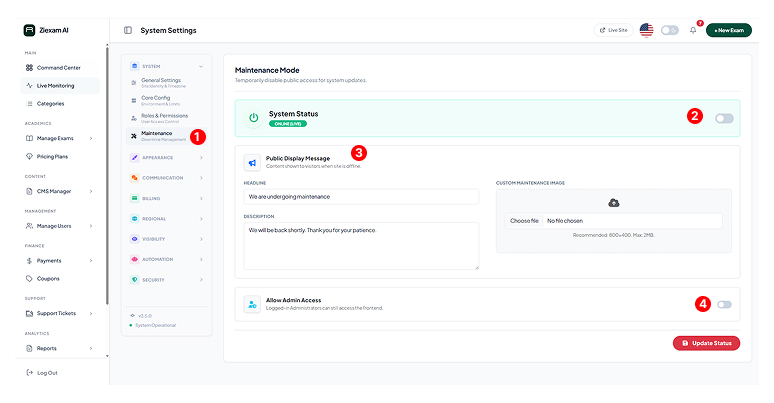
1
Module Function
Maintenance Mode allows you to take the public frontend offline for updates while keeping the admin backend accessible.
2
System Status Toggle
The master switch.
Live: Site is accessible to everyone.
Maintenance: Frontend shows the "Under Construction" page.
3
Public Message
Customize the screen visitors see during downtime. You can upload a custom image and write a friendly message explaining when the system will be back online.
4
Admin Bypass
Allow Admin Access: When enabled, logged-in Administrators can still view the frontend of the site to test changes, even while the site is in maintenance mode for everyone else.
Click image to zoom