Custom CSS / JS
Advanced customization for developers to inject code overrides.
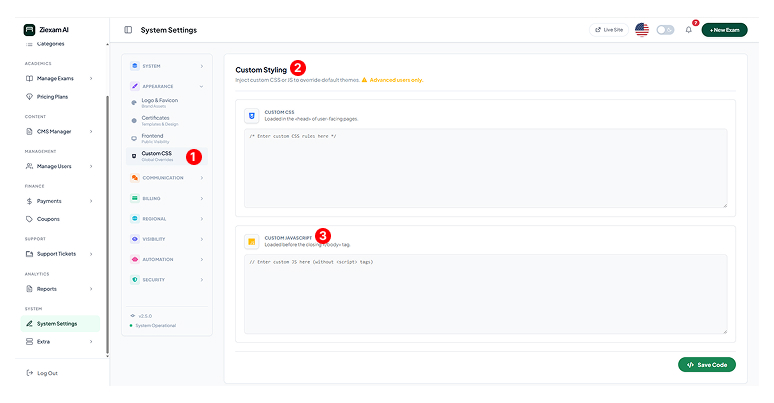
1
Global Overrides
Navigate to Appearance > Custom CSS. Code entered here is injected into the <head> (CSS) or before </body> (JS) of every page.
2
Custom Styles (CSS)
Use this area to overwrite default theme colors or hide specific elements.
Example: .navbar { background: #000 !important; }
3
Custom Scripts (JS)
Ideal for adding third-party integrations like:
- Google Analytics / Tag Manager
- Live Chat Widgets (Intercom, Tawk.to)
- Facebook Pixel
Warning
Invalid JavaScript syntax here can break the entire frontend. Always test your snippets in a staging environment or browser console first.
Click image to zoom