Logo & Favicon
Manage your brand's visual identity across light and dark modes.
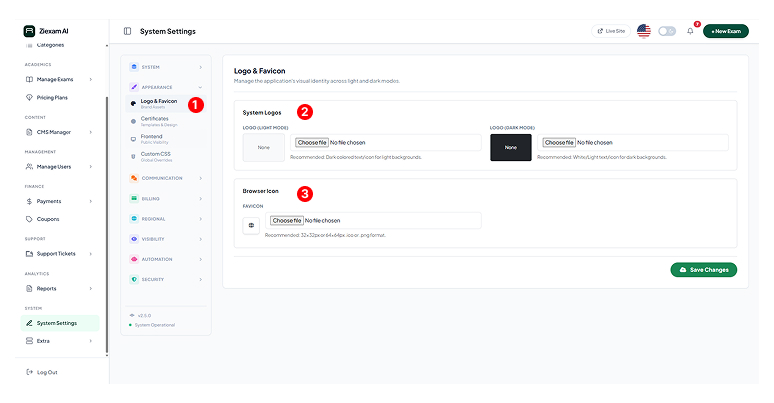
1
Brand Assets Menu
Navigate to the Appearance > Logo & Favicon tab. Changes made here reflect immediately across the Login Page, Admin Dashboard, and Student Portal.
2
System Logos
Light Mode Logo: Used on white backgrounds (Emails, PDFs). Upload a dark-colored PNG.
Dark Mode Logo: Used on the dark sidebar and student exam interface. Upload a white/light-colored PNG.
3
Browser Icon
The Favicon is the small icon shown in the browser tab.
Recommended Size: 32x32px or 64x64px (.ico or .png format).
Click image to zoom