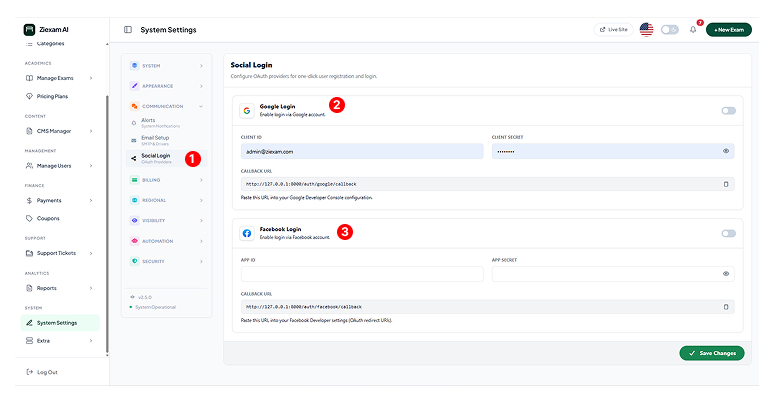
Social Login
Enable one-click student registration via Google and Facebook OAuth.
Module Access
Navigate to Communication > Social Login. Enabling this adds the "Sign in with Google/Facebook" buttons to the login page.
Google Login
To enable:
1. Create a project in the Google Cloud Console.
2. Copy the Client ID and Client Secret.
3. Toggle the switch to ON.
Facebook Login
To enable:
1. Create an app in the Meta for Developers portal.
2. Add "Facebook Login" product.
3. Paste the App ID and Secret Key.
Callback URLs
When setting up the apps in Google/Facebook, you must copy the Callback URL displayed on this page (e.g., https://yoursite.com/auth/google/callback) and paste it into the "Authorized Redirect URIs" field in their respective developer consoles.