Header Editor
Adjust the visual appearance and layout of the top navigation bar.
Navbar Configuration
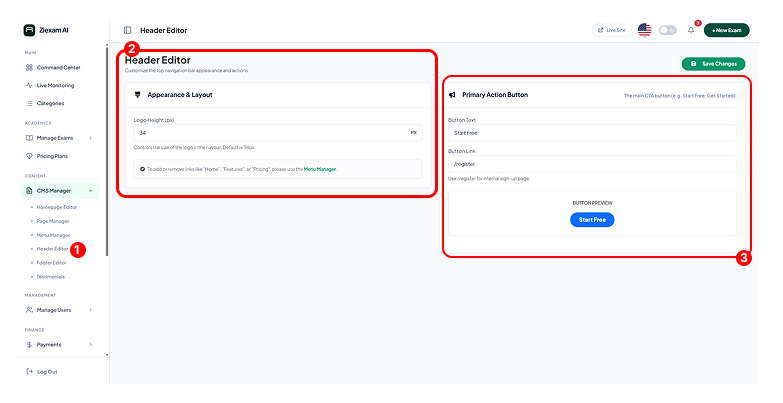
1
Access Point
Located in the CMS sidebar. Changes made here affect the global navigation bar visible on every page of the frontend.
2
Appearance & Layout
Controls visual properties of the navbar.
- Logo Height: Define the height in pixels (default 34px). This ensures your brand logo scales correctly without distorting the navbar height.
3
Primary Action Button
Configures the main Call-to-Action (CTA) button in the top right corner.
- Button Text: The label, e.g., "Get Started" or "Login".
- Button Link: Destination URL, usually
/registeror/login.
Click image to zoom