Question Management
Add, edit, and generate questions for specific exams.
1
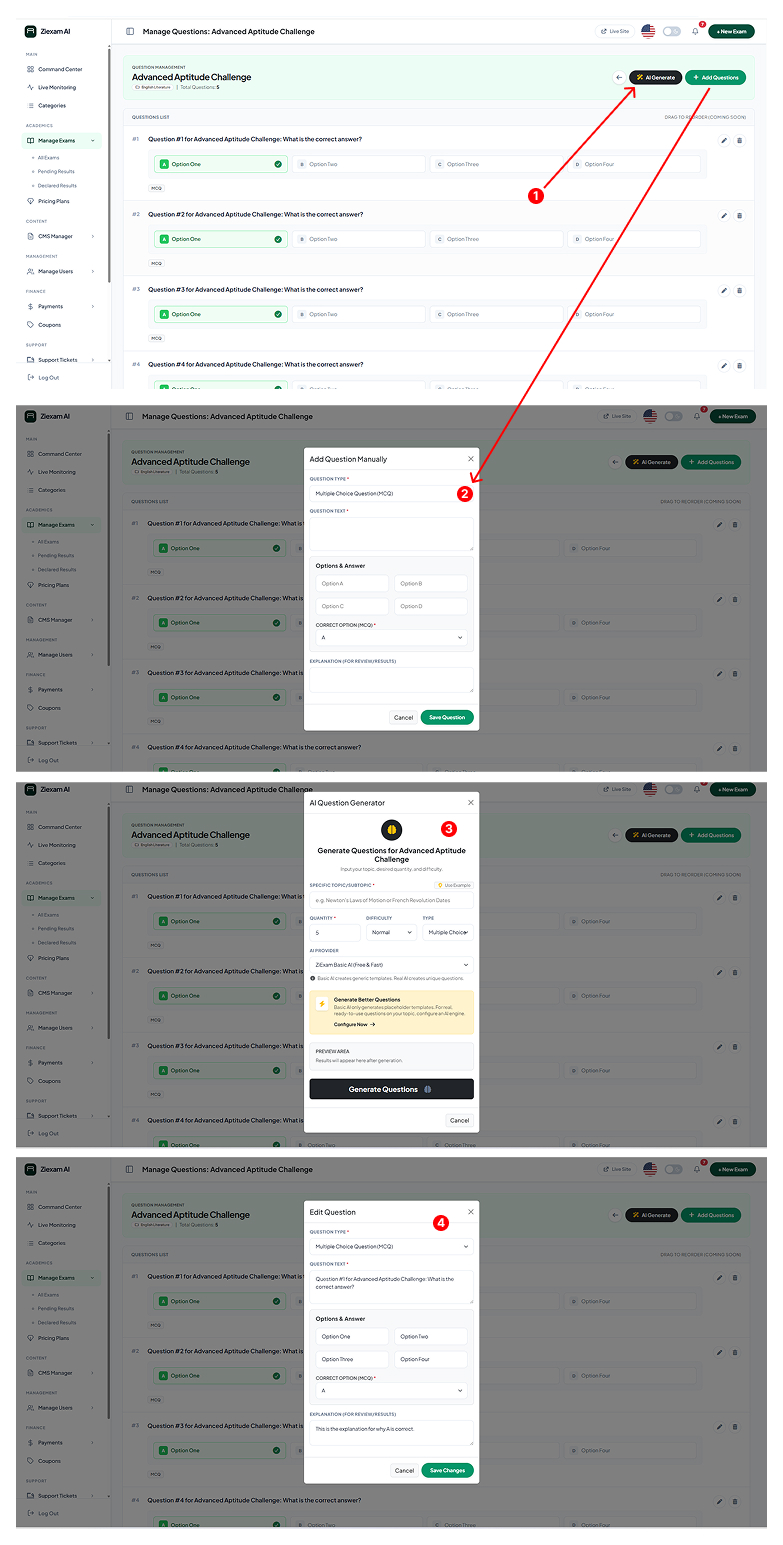
Toolbar
Located at the top right. Use AI Generate to bulk create questions or Add Questions for manual entry.
2
Manual Question Modal
Select Question Type (e.g., MCQ). Enter the question text, define Options (A, B, C, D), and select the Correct Option.
3
AI Generator
Automatically generate a set of questions. Define the Subtopic (e.g., Newton's Laws), Difficulty, and Quantity. The AI will populate the list instantly.
4
Edit Question
Need to fix a typo? Click the edit icon on any question card to open the Edit Modal and update the text or correct answer.
Click image to zoom