Footer Editor
Manage the site footer branding, contact info, and social links.
Footer Settings
1
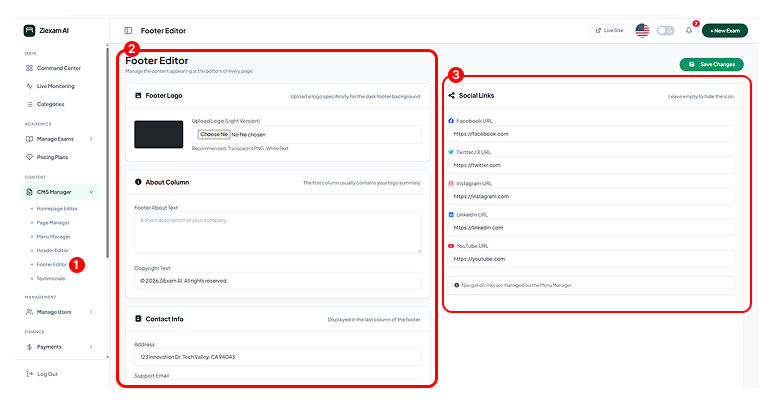
Footer Branding
The footer typically uses a dark background.
- Logo (Light): Upload a white/light version of your logo.
- About Text: A short 2-line summary of your organization displayed below the logo.
2
Legal & Contact
Information displayed in the bottom bar and last column.
- Copyright: Text like "© 2025 Your Company".
- Address/Email: Support contact details.
3
Social Links
Input URLs for your social profiles (Facebook, X/Twitter, Instagram, LinkedIn, YouTube).
Note: Leave a field blank to hide that specific icon.
Click image to zoom