Payment Gateway Extensions
Expand your global reach with additional premium payment service providers.
Installation & Setup
Ziexam AI supports a plug-and-play architecture for payment gateways. You can activate specific providers based on your target region.
Add-on Installation
Navigate to Extra Utilities > Add-ons Manager. Find your desired gateway and click the Install button.
Gateway Configuration
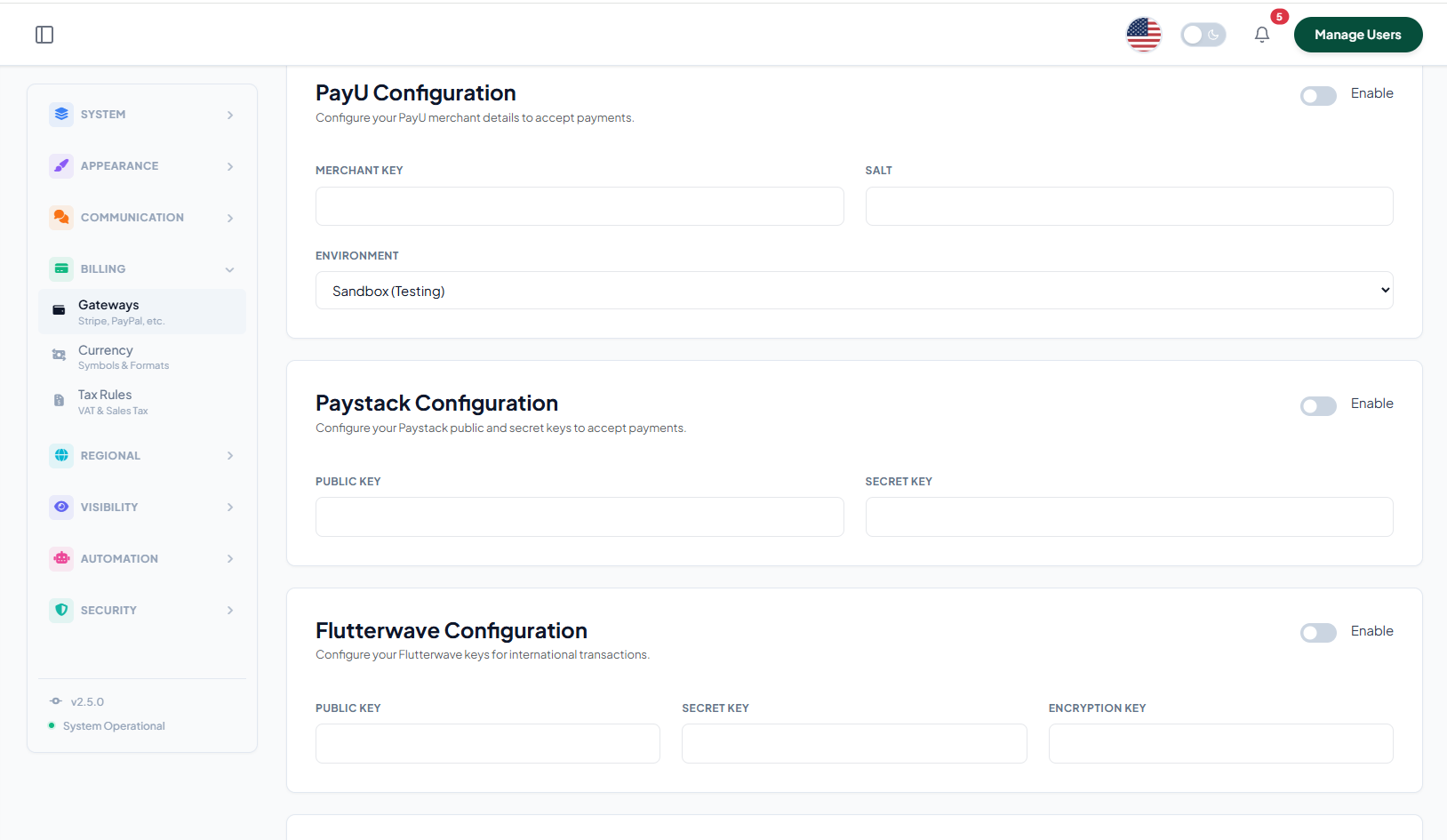
Once installed, go to System Settings > Payment Settings. All installed gateways will now appear in the provider list.
API Credentials
Enter the required keys (Public Key, Secret Key, Merchant ID) obtained from your provider's dashboard.
Mode Selection
Toggle between Sandbox/Test and Live mode. Ensure you test a small transaction before going fully public.
Supported Extensions
PayU
A leading financial services provider in India and emerging markets. Ideal for local credit/debit cards and net banking.
Paddle
The complete merchant of record. Handles global sales tax (VAT/GST) compliance automatically for your SaaS platform.
Mollie
One of the most popular payment processors in Europe. Supports iDEAL, Bancontact, and SEPA transfers.
Paystack
The go-to solution for businesses in Africa (Nigeria, South Africa, Ghana, Kenya) to accept secure payments.
Flutterwave
Provides a seamless payment experience for African and International customers with multi-currency support.
Currency Setup Note
Ensure that the System Currency in General Settings matches one of the currencies supported by your chosen gateway (e.g., NGN for Paystack Nigeria, INR for PayU India) to avoid checkout errors.